Tildagon Coding for Beginners Intro
The badge includes the simple_tildagon.py library. This library is designed for beginners to provide access to several badge features, including the LEDs, buttons, IMU and display, without the need to write a full badge app. If you're a beginner to badge programming and you want to write something for your badge quickly, this is the guide for you.
What software do I need?
For this guide, you've got 2 choices:
-
Tildagon Blockly - A web-based (no install needed) block coding tool with Python support, specifically built for the Tildagon badge. The Tildagon Blockly guide is here.
-
Thonny - A powerful general-purpose Python editor for beginners and power users alike. Must be downloaded and installed. The Thonny Python guide is here.
Option 1 - Tildagon Blockly - Web browser based
Not programmed before or not familiar with Python? This is a great place to start! You can use a block-based programming environment (similar to MIT Scratch).
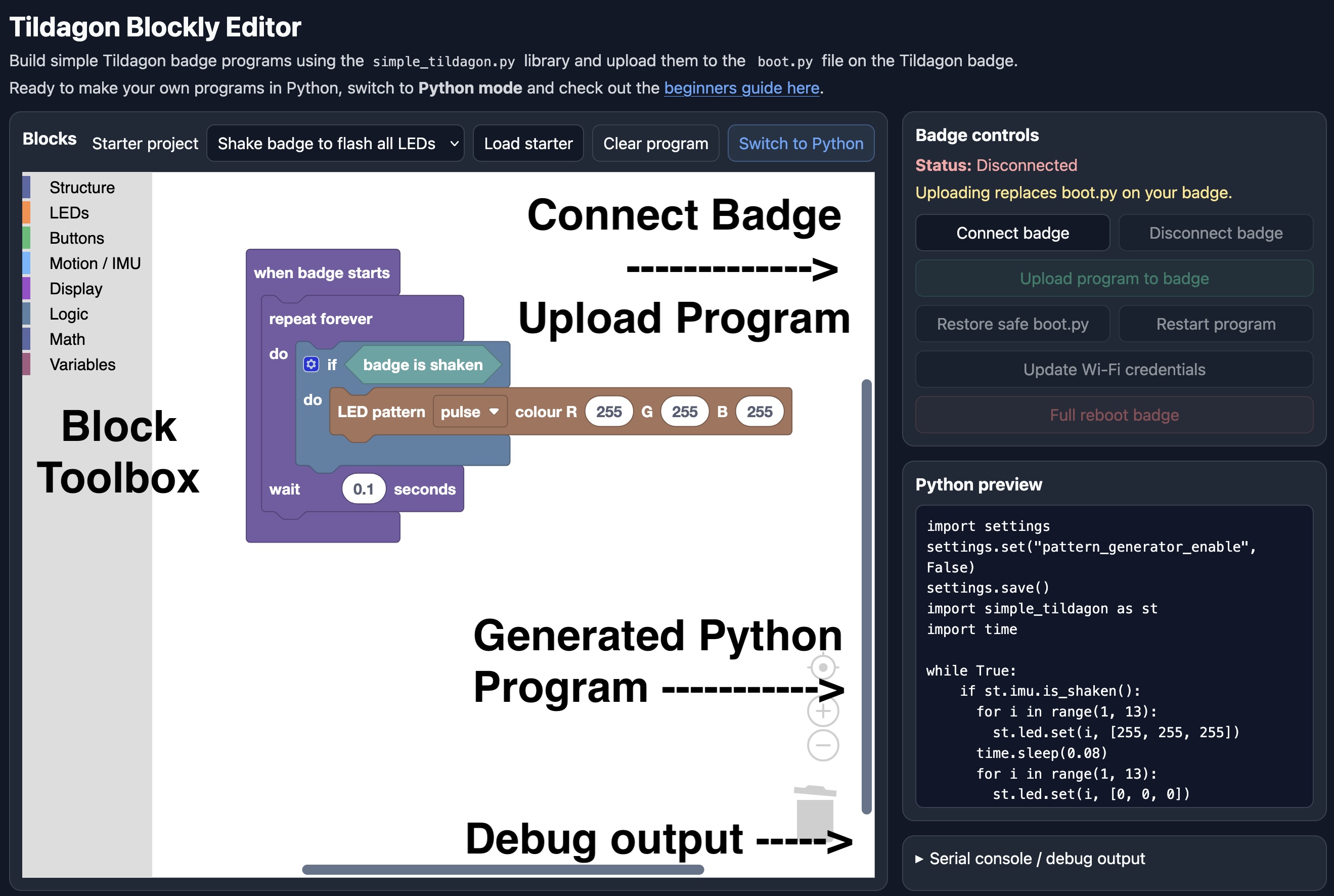
- Connect badge - This needs to be run first, to connect up to your badge so it's ready to copy programs over to.
- Block Toolbox - You will find all the coding blocks in the block toolbox.
- Generated Python - Your Python program will be automatically generated and can be previewed here.
- Debug output - If your program doesn't work as expected (or doesn't work at all), check the debug output.
Note that Tildagon Blockly requires a web browser with Web Serial support.
The Tildagon Blockly beginners guide is here.
Option 2 - Thonny - Desktop program
Thonny is a more extensive general-purpose Python editor. It needs to be downloaded and installed, but does allow more advanced Python programs. Thonny also includes the ability to interact directly with the badge and its files.
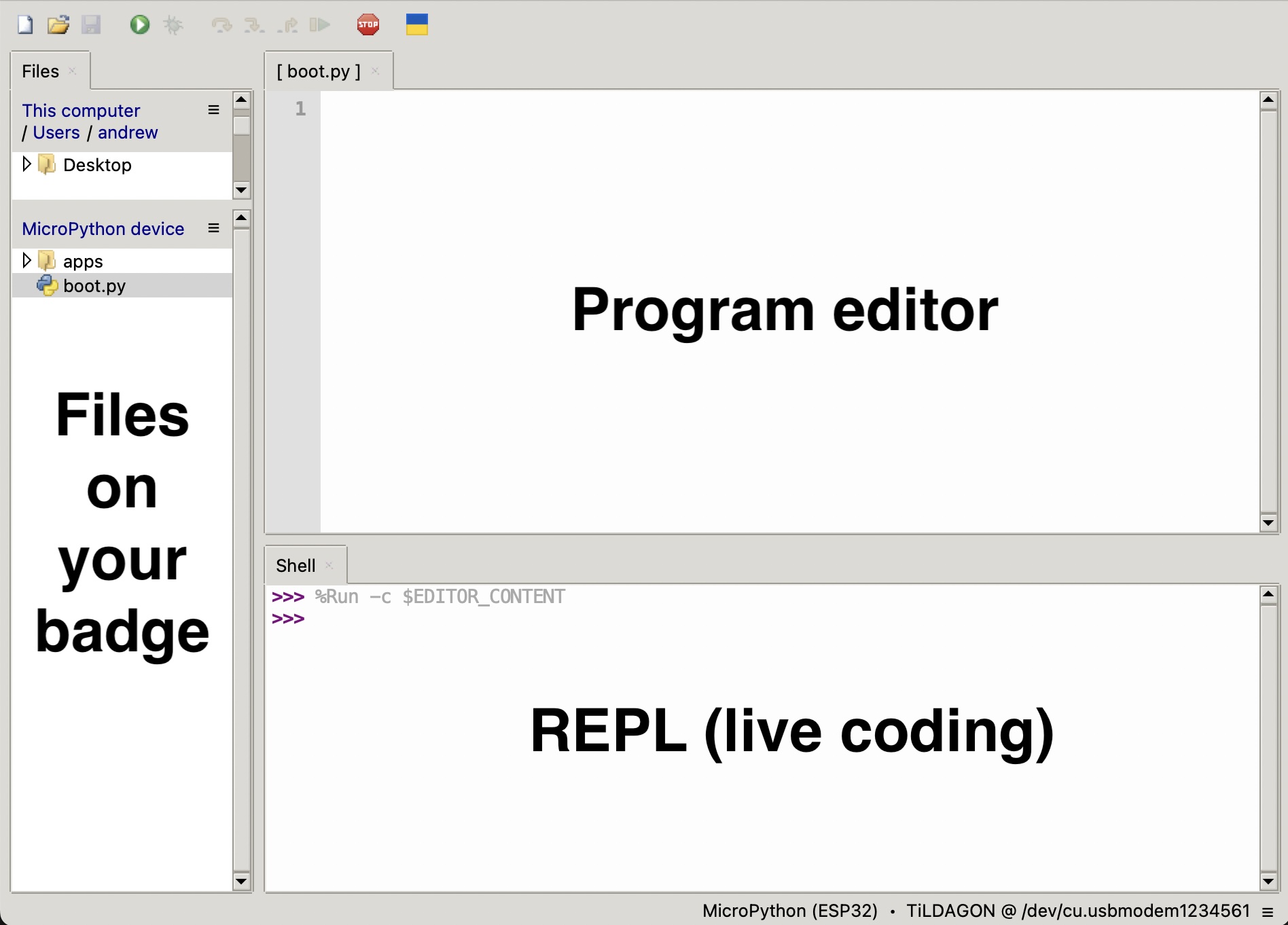
- Program editor - This is where you generally write your program.
- REPL - This allows you to type Python into it to be run immediately.
- Files - The files on your badge. The main one we will be using is the
boot.pyfile, which runs once on startup of the badge.
You can use Thonny's file manager to edit or remove any file on the badge.